ILOE App Not Working | ILOE App Error Faced in UAE
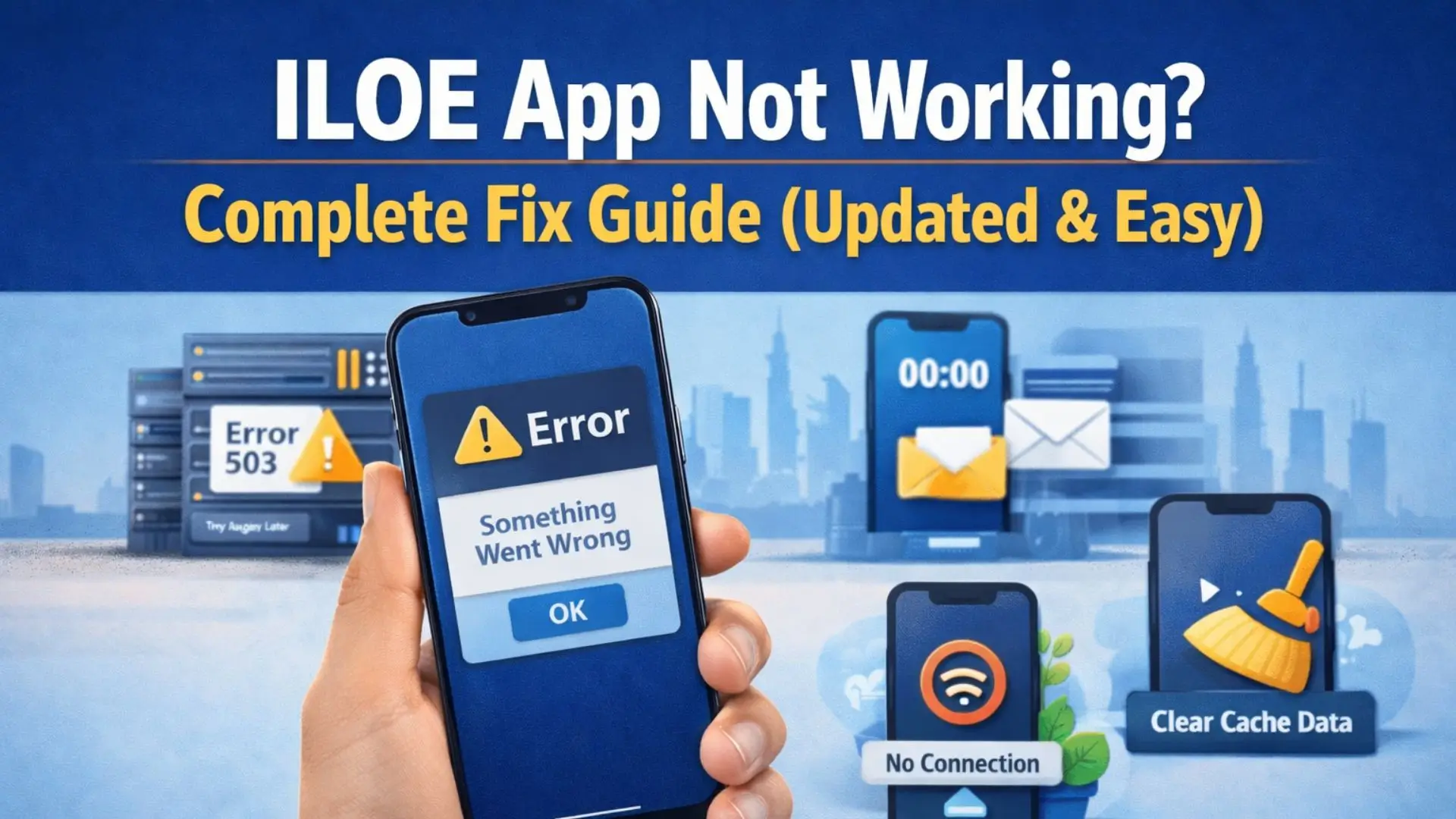
ILOE App Not Working | ILOE App Error Faced in UAE. If you’re working in the UAE and using the ILOE (Involuntary Loss of Employment) insurance app, experiencing technical issues can be extremely frustrating, especially when you need to make timely payments or file claims. This comprehensive guide will walk you through all common ILOE app problems and their proven solutions, updated for 2025.
Whether you’re facing login errors, payment failures, or dashboard issues, this article provides step-by-step troubleshooting methods that have helped thousands of users resolve their problems quickly and efficiently.
Common ILOE App Issues in 2025
Users have reported various technical problems with both the mobile app and web portal. Understanding these issues is the first step toward finding effective solutions.
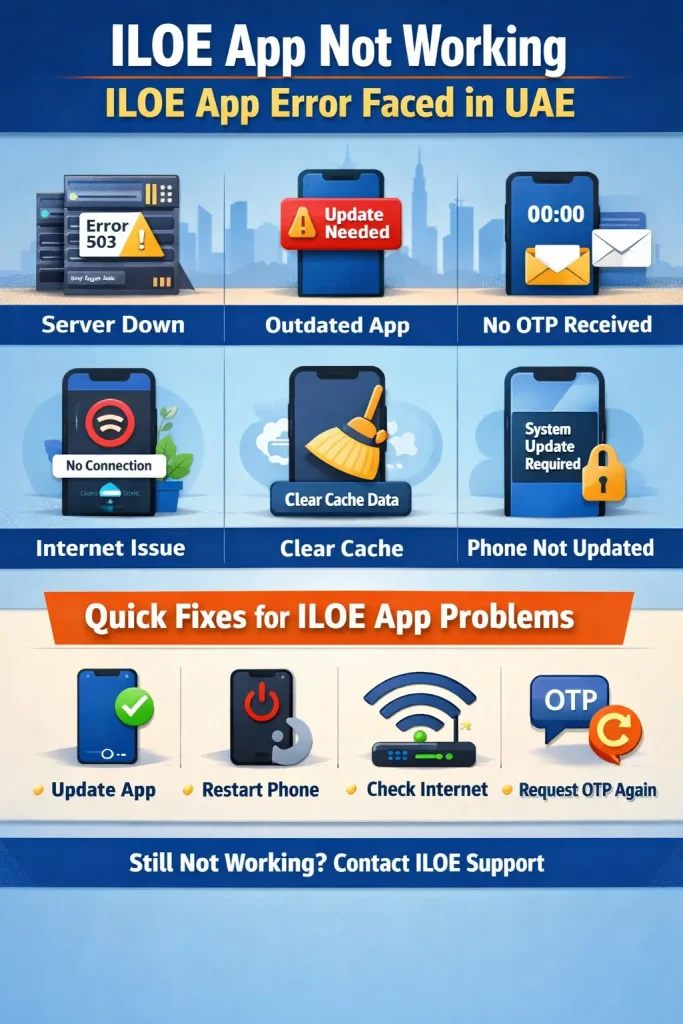
1. Login Authentication Problems
Many users struggle with login issues where the app becomes unresponsive, gets stuck on loading screens, or fails to accept valid credentials. Some users report that after entering their Emirates ID and mobile number, the system doesn’t proceed to the OTP verification stage.
2. Payment Processing Failures
Payment issues remain the most reported problem in 2025. Users encounter Java NullPointerException errors, payment gateway timeouts, and transaction failures. Digital payment methods like Samsung Pay, Apple Pay, and credit cards often fail to process, leaving users unable to complete their premium payments before deadlines.
3. Empty Dashboard Display
After successfully logging in, some users find their dashboard completely empty with no policy information, payment history, or renewal options visible. This creates confusion and prevents users from managing their insurance effectively.
4. OTP Delivery and Entry Issues
One-Time Passwords (OTPs) either don’t arrive at all or arrive with significant delays. When they do arrive, the app’s auto-fill functionality doesn’t work properly, forcing users to manually type the code. By the time users enter the OTP manually, it often expires.
5. 24-Hour Payment Lock
When a payment attempt fails, the system automatically blocks further payment attempts for 24 hours. This security feature becomes problematic when users need to pay before an approaching deadline, potentially resulting in late fees and policy lapses.
6. User Interface and Display Problems
The mobile app’s interface doesn’t display correctly on various screen sizes. Content overflows horizontally, form fields aren’t properly aligned, and buttons may be partially hidden. The design lacks responsive optimization for different devices.
7. VPN and Geolocation Restrictions
The ILOE portal is geo-restricted to UAE IP addresses only. Users attempting to access the app while traveling abroad or using VPN services find themselves completely blocked from the system, unable to make urgent payments or check policy status.
8. Sector Selection Confusion
Users often select the wrong employment sector during login (Private, Federal Government, or Non-MoHRE Registered), which leads to authentication failures and inability to access their policies. The app doesn’t provide clear guidance on which sector to choose.
Step-by-Step Solutions for ILOE App Problems
Solution 1: Basic Troubleshooting Steps
Before trying advanced solutions, always start with these fundamental troubleshooting steps:
Clear App Cache and Data:
- Go to your mobile device Settings
- Navigate to Apps or Application Manager
- Find and select the ILOE app
- Tap on Storage
- Select “Clear Cache” first
- If the problem persists, select “Clear Data” (Note: This will log you out)
- Restart the app and try logging in again
Update the Application:
- Open Google Play Store (Android) or Apple App Store (iOS)
- Search for “ILOE” or check your app updates
- If an update is available, install it immediately
- Restart your device after updating
- Open the updated app
Check Internet Connection:
- Ensure you have a stable internet connection with good signal strength
- Try switching between WiFi and mobile data to see which works better
- Run a speed test to confirm you have adequate bandwidth
- Disable any battery-saving modes that might restrict app connectivity
Restart Your Device: Sometimes a simple device restart resolves temporary glitches:
- Power off your smartphone completely
- Wait for 30 seconds
- Turn it back on
- Try accessing the ILOE app again
Solution 2: Fixing Login Problems
Verify Your Employment Sector:
The most common login mistake is selecting the incorrect sector. Contact your HR department to confirm which category you belong to:
- Private Sector (MoHRE registered): Most private companies registered with the Ministry of Human Resources and Emiratisation
- Federal Government: Federal government entities and employees
- Non-Registered in MoHRE: Free zone companies, semi-government organizations, and certain exempted entities
Use the Web Portal Instead:
If the mobile app isn’t working, access your account through the web portal:
- Visit: www.diniloe.ae/nsure/login/
- Select “Individual” login option
- Choose your correct employment sector carefully
- Enter your Emirates ID number (without spaces or dashes)
- Enter your registered mobile number
- Complete the OTP verification
Request Technical Support:
If you’ve verified your sector is correct and still cannot log in:
- Call the ILOE helpline: 600599555
- Explain that you’re experiencing login authentication errors
- Provide your Emirates ID, policy number, and registered mobile number
- Request that a technical support ticket be created
- Note down the ticket reference number for follow-up
- Technical teams typically respond within 2-3 business days
Try Different Browsers:
For web portal access issues:
- Try Google Chrome, Safari, Firefox, and Microsoft Edge
- Clear browser cache and cookies before attempting login
- Disable browser extensions that might interfere with the site
- Use incognito or private browsing mode
Solution 3: Resolving Payment Issues
Submit a Payment Error Report:
When payment failures occur, documentation is crucial:
- Take screenshots of the exact error message
- Email: [email protected]
- Subject line: “Payment Error – [Your Policy Number]”
- Include in your email:
- Full name as per Emirates ID
- Emirates ID number
- Policy number
- Registered mobile number
- Date and time of payment attempt
- Payment method used (card type, digital wallet, etc.)
- Screenshot attachments of error messages
- Amount you were trying to pay
Alternative Payment Method 1 – BOTIM Application:
BOTIM has emerged as a reliable alternative for ILOE payments:
- Download the BOTIM app from your app store if you haven’t already
- Complete the BOTIM registration and verification process
- Open BOTIM and navigate to the ‘Explore’ section
- Scroll to the Features section
- Select “ILOE Insurance” or search for it
- Enter your Emirates ID number
- Enter your registered mobile number
- Verify the policy details displayed
- Select payment amount and proceed
- Complete payment using your preferred method within BOTIM
Alternative Payment Method 2 – Quick Pay Option:
The Quick Pay feature allows payment without logging in:
- Visit the official ILOE website: www.iloe.ae
- Look for the “Quick Pay” or “Pay Without Login” option
- Enter your Emirates ID number
- Enter your policy number
- Verify your mobile number via OTP
- Proceed with payment
- Save the payment confirmation receipt
Alternative Payment Method 3 – Payment Centers:
For in-person payments, visit authorized centers:
- Tawjeeh Centers: Multiple locations across UAE
- Tasheel Centers: Available in major emirates
- Exchange Houses: Selected locations accept ILOE payments
Bring these documents:
- Original Emirates ID
- Policy number or previous payment receipt
- Cash or card for payment
Contact Banking Support:
If your card keeps declining:
- Call your bank’s customer service
- Inform them you’re trying to make a payment to Dubai Insurance Company
- Ask if international transactions or online payments are enabled
- Request them to whitelist the ILOE payment gateway
- Check if your card has sufficient credit limit
- Verify if your card is authorized for online transactions
Solution 4: Handling VPN and Location Issues
Disable VPN Services:
The ILOE portal only works within UAE borders:
- Go to your device Settings
- Find VPN or Network settings
- Disable any active VPN connections
- Ensure you’re connected to a UAE-based internet service provider
- Try accessing the app again
For Users Outside UAE:
If you’re traveling abroad:
- Wait until you return to the UAE to access the app
- Use the ILOE helpline to request payment extension if approaching deadline
- Ask a trusted family member or friend in UAE to make payment on your behalf
- Provide them with your policy details and make the payment transfer to them
Browser-Based Solutions:
- Use a different web browser
- Clear all browsing data (cache, cookies, history)
- Disable any proxy settings
- Try using your mobile data instead of WiFi if you suspect network restrictions
Solution 5: Fixing OTP Problems
Verify Your Registered Number:
Ensure the mobile number linked to your Emirates ID is:
- Currently active and in service
- Not suspended or blocked
- Able to receive SMS messages
- The same number you provided during registration
Request OTP Multiple Times:
- Click the “Resend OTP” button
- Wait 2-3 minutes between resend attempts (avoid spam filters)
- Check your messages inbox and spam/junk folders
- Verify you haven’t reached your daily SMS limit from your carrier
Manual OTP Entry:
When auto-fill doesn’t work:
- Carefully type the OTP digits manually
- Double-check each number before submitting
- Be aware of the OTP expiration time (usually 5 minutes)
- Request a new OTP if it expires
Network-Related Issues:
- Ensure your phone has good cellular signal
- Try switching airplane mode on/off to refresh connection
- Contact your telecom provider if SMS services aren’t working
Update Mobile Number:
If your registered number has changed:
- Call ILOE helpline: 600599555
- Request a mobile number update
- You may need to visit a customer service center with:
- Emirates ID
- New mobile number’s SIM card
- Labor card or employment proof
Solution 6: Correcting Date of Birth Errors
Some users encounter “invalid date of birth” errors during login, even when entering the correct information.
Contact Helpline:
- Call: 600599555 during business hours
- Explain the date of birth validation error
- Provide your policy number and Emirates ID
- They can verify the information in their system
- Follow their instructions for resolution
Submit Email Correction Request:
- Email: [email protected]
- Subject: “Date of Birth Correction Request – [Policy Number]”
- Attach:
- Copy of Emirates ID (showing correct date of birth)
- Policy number
- Registered mobile number
- Any previous policy documents
- Wait 3-5 business days for processing
Use Alternative Access Method:
While waiting for correction:
- Try the BOTIM app payment method (may bypass this validation)
- Use Quick Pay feature which has different validation
- Visit a service center for manual verification
Solution 7: Empty Dashboard Problem
Logout and Re-login Process:
- Completely log out from the app
- Close the app entirely (swipe away from recent apps)
- Clear the app cache from device settings
- Wait 5 minutes
- Open the app fresh
- Log in using OTP method instead of saved credentials
- Check if dashboard populates
Try Different Login Methods:
If registered user login shows empty dashboard:
- Use the “Login with OTP” option instead
- Try accessing via web portal
- Use a different device to check if it’s device-specific
Check Policy Status:
An empty dashboard might indicate:
- Policy has lapsed due to non-payment
- Policy hasn’t been activated yet
- System synchronization issue
Contact support to verify your policy status.
Browser Compatibility (Web Portal):
- Use the latest version of Chrome or Safari
- Enable JavaScript in browser settings
- Disable ad-blockers temporarily
- Try accessing from a desktop computer
Avoiding Fines and Penalties
Understanding Payment Deadlines
Standard Payment Schedule:
- Annual premium must be paid before policy expiry date
- Grace period varies (check your policy details)
- Renewal deadline is typically 30 days before expiry
Fine Structure for Late Payments:
- AED 400 fine: Applied when you miss the subscription deadline
- AED 200 additional penalty: Charged if payment isn’t made within 90 days
- Policy suspension: Occurs after extended non-payment
- Loss of coverage: No claims can be processed during suspension period
Proactive Measures
Set Reminders:
- Add policy expiry date to your phone calendar
- Set multiple reminders (60 days, 30 days, 7 days before expiry)
- Enable email and SMS notifications in your ILOE profile
Early Payment Strategy:
- Pay at least 2 weeks before deadline
- Avoid last-minute technical issues
- Have alternative payment methods ready
Regular Account Monitoring:
- Log in monthly to check policy status
- Verify payment history
- Update personal information if changed
- Check for any system notifications
Emergency Payment Options
If approaching deadline with app issues:
- Visit a Tasheel or Tawjeeh center immediately
- Use BOTIM as backup method
- Call helpline to request short extension (if eligible)
- Make payment through authorized exchange houses
Official Contact Information
Customer Service Helpline
- Phone Number: 600 599 555
- Operating Hours: Saturday to Thursday, 8:00 AM – 5:00 PM
- Note: Closed on Fridays and UAE public holidays
Email Support Addresses
- General Inquiries: [email protected]
- Payment Issues: [email protected]
- Claims Department: [email protected]
- Technical Support: [email protected]
Response Time: 2-3 business days for email queries
Official Websites
- Main Portal: www.iloe.ae
- Login Gateway: www.diniloe.ae/nsure/login/
- Dubai Insurance Company: www.dubins.ae
Physical Office Location
Dubai Insurance Building
- Al Rigga Street, Deira
- Dubai, United Arab Emirates
Office Hours: Saturday to Thursday: 8:00 AM – 3:00 PM
Service Centers
Tasheel Centers:
- Abu Dhabi: Multiple locations in Al Ain, Abu Dhabi City
- Dubai: Available in Deira, Bur Dubai, Karama
- Sharjah: Industrial Area, Al Nahda
- Other Emirates: Check website for nearest location
Required Documents for Center Visit:
- Original Emirates ID
- Labor card (if applicable)
- Previous payment receipts
- Mobile phone for OTP verification
Additional Solutions When Nothing Works
Device Troubleshooting
Switch Devices: Sometimes issues are device-specific:
- Try a family member’s smartphone
- Use a tablet if available
- Access from a desktop/laptop computer
- Test on both Android and iOS if possible
Operating System Check:
- Ensure your OS is updated to the latest version
- iOS users: Update to latest iOS version
- Android users: Update Android OS and Google Play Services
- Older operating systems may have compatibility issues
Factory Reset (Last Resort)
If your device has persistent app issues:
- Backup all important data first
- Perform factory reset on your device
- Restore only essential data
- Reinstall ILOE app fresh
- Try accessing your account
Warning: Only do this if you’re comfortable with the process and have proper backups.
Customer Service Center Visit
When online solutions fail, visit in person:
Preparation Checklist:
- Original Emirates ID (valid, not expired)
- Labor card (for private sector employees)
- Previous policy documents or receipts
- Mobile phone with active number
- Payment method (card/cash for any pending amounts)
- Written description of your technical issue
What They Can Do:
- Manually verify and update your account information
- Process payments directly in their system
- Escalate technical issues to IT department
- Issue payment receipts immediately
- Update mobile numbers and other details
- Provide alternative access credentials if needed
Third-Party Payment Platforms
BOTIM App (Highly Recommended):
- Most reliable alternative in 2025
- Integrated ILOE payment service
- User-friendly interface
- Immediate payment confirmation
- No additional charges
Selected Telecom Services:
- Some telecom providers offer bill payment services
- Check if Etisalat or du has ILOE payment option
- May be available through their apps or customer service
Payment Kiosks:
- Available in some shopping malls
- Look for Dubai Insurance Company payment kiosks
- Follow on-screen instructions
- Keep receipt for records
Prevention Tips for Future Issues
Regular Maintenance
Keep App Updated:
- Enable automatic app updates
- Check for updates weekly if auto-update is off
- Read update notes for new features and fixes
System Notifications:
- Allow ILOE app to send notifications
- Enable both app and SMS notifications
- Check notification settings monthly
- Whitelist ILOE emails to avoid spam folder
Maintain Communication:
- Keep registered email active and monitored
- Ensure mobile number is always active
- Update contact information immediately if changed
- Save important policy documents in cloud storage
Information Accuracy
Emirates ID:
- Renew before expiry
- Update ILOE if you get a new Emirates ID
- Ensure all personal information matches exactly
Employment Details:
- Notify ILOE of job changes
- Update employer information within 30 days
- Report any changes in employment sector
- Keep HR department informed
Banking Information:
- Update bank details if you change accounts
- Ensure account is active for claim disbursements
- Verify IBAN is correct in your profile
Backup Plans
Multiple Payment Methods:
- Save at least two credit/debit cards
- Have BOTIM installed and configured
- Know nearest payment center location
- Keep emergency cash for center payments
Contact List:
- Save ILOE helpline number: 600599555
- Save technical support email addresses
- Note your policy number in a secure place
- Keep previous payment receipts accessible
Calendar Management:
- Mark policy expiry date prominently
- Set recurring annual reminders
- Add buffer time for technical issues
- Note helpline operating hours
Common Mistakes to Avoid
During Registration and Login
Incorrect Sector Selection: This is the single most common error. Many users guess their sector instead of confirming with HR. Private sector has subdivisions (MoHRE registered vs non-registered), and selecting the wrong one will always result in login failure.
Wrong Emirates ID Format:
- Don’t include dashes or spaces
- Enter exactly as: 784XXXXXXXXXX
- Double-check each digit
- Ensure ID hasn’t expired
Using Different Mobile Numbers: Some users try logging in with their current number when they registered with a different one. The system won’t recognize you.
During Payment
Last-Minute Payments: Paying on the deadline day is risky:
- Technical issues are more likely under stress
- No time to try alternatives
- Risk of penalties if payment fails
- Support centers may be busy
Ignoring Error Messages: Users often repeatedly try the same failed method without reading error details. Each error message contains clues about the specific problem.
Multiple Rapid Payment Attempts: Triggering the 24-hour block by repeatedly trying the same failed payment method without investigating the cause.
Documentation Mistakes
Incomplete Claim Documentation: When filing claims, missing even one document causes delays:
- Termination letter must be official
- Bank details must be complete and accurate
- All salary slips required for the period
- Forms must be filled completely
Not Keeping Receipts: Always save proof of payment:
- Screenshot confirmation pages
- Email receipts
- SMS confirmations
- Print copies for physical records
How to Report Technical Issues Effectively?
Documentation Best Practices
Screenshots and Screen Recording:
- Capture the exact error message
- Screenshot the full screen (including date/time at top)
- Record a short video of the problem if possible
- Save these with clear file names
Detailed Notes: When reporting issues, include:
- Date and time of occurrence
- Exactly what you were trying to do
- All steps you took before the error
- Error codes or messages (exact wording)
- Your device model and OS version
- App version number (found in settings)
- Internet connection type (WiFi/mobile data)
Writing Effective Support Emails
Subject Line Format: Make it specific: “Payment Error Code 502 – Policy #XXXX – [Your Name]”
Email Body Structure:
- Introduction: Brief description of the problem
- Account Information: Policy number, Emirates ID, registered mobile
- Problem Details: When it started, what happens, exact error messages
- Steps Taken: What you’ve already tried
- Urgency Level: If there’s a deadline approaching
- Request: Clearly state what you need (fix, refund, extension, etc.)
- Attachments: Label each attachment clearly
Follow-Up Protocol:
- Wait 3 business days for initial response
- Send follow-up email referencing original email
- Include original ticket number if provided
- Call helpline if urgent and no email response
- Escalate politely if no resolution after 7 days
Phone Call Tips
Preparation:
- Have all relevant information ready
- Call during off-peak hours (mid-morning)
- Be in a quiet environment
- Have pen and paper ready
During the Call:
- Note the agent’s name and employee ID
- Ask for a ticket reference number
- Write down any instructions given
- Request email confirmation of discussion
- Ask for estimated resolution timeline
Understanding ILOE Insurance Eligibility and Coverage
Coverage Details
Benefit Amount:
- 60% of your basic salary
- Maximum coverage period: 3 months
- Maximum benefit amount: AED 20,000
- Payments are made monthly after claim approval
Waiting Period:
- Must have contributed for minimum 12 consecutive months
- Policy must be active at time of job loss
- All premiums must be paid up to date
- No gaps in coverage during contribution period
Valid Claim Scenarios
Covered Terminations:
- Company downsizing/redundancy
- Business closure
- Project completion/termination
- Employer-initiated termination without cause
Not Covered:
- Voluntary resignation (you quit)
- Termination for misconduct or disciplinary reasons
- Mutual agreement termination
- End of fixed-term contract
- Probation period termination
- Retirement
Claim Process Overview
Required Documents:
- Official termination letter from employer
- Emirates ID (valid)
- Labor card
- Last 6 months’ salary certificates/bank statements
- Bank account details (IBAN)
- Completed claim form
- MOL (Ministry of Labour) certificate
- Final settlement letter
Filing Timeline:
- Must file within 30 days of termination
- Processing takes 14-30 business days
- Benefits paid directly to bank account
- Each monthly payment requires verification
Claim Steps:
- Report job loss to ILOE within 7 days
- Gather all required documents
- Submit claim online or at service center
- Wait for initial assessment (7-10 days)
- Provide any additional requested information
- Receive approval notification
- First payment disbursed
- Monthly verification for subsequent payments
Technology and System Requirements
Mobile App Requirements
Android:
- Operating System: Android 8.0 or higher
- RAM: Minimum 2GB
- Storage: 100MB free space
- Internet: 3G/4G/5G or WiFi
- Screen Resolution: 720p minimum
iOS:
- Operating System: iOS 12.0 or later
- Compatible with iPhone, iPad, iPod touch
- Storage: 100MB free space
- Internet: WiFi or cellular data
Web Portal Requirements
Supported Browsers:
- Google Chrome (version 90 or higher)
- Safari (version 13 or higher)
- Mozilla Firefox (version 88 or higher)
- Microsoft Edge (version 90 or higher)
Browser Settings:
- JavaScript must be enabled
- Cookies must be allowed
- Pop-ups enabled for ILOE domain
- No aggressive ad-blockers
System Requirements:
- Stable internet connection (minimum 2 Mbps)
- Screen resolution: 1024×768 or higher
- Modern operating system (Windows 10/11, macOS 10.14+, Linux)
Security Considerations
Secure Access:
- Always access from official URLs only
- Never save passwords on shared devices
- Log out after each session
- Use private/incognito mode on public computers
Phishing Awareness:
- ILOE will never ask for full card details via email
- Verify sender email addresses carefully
- Don’t click suspicious links claiming to be from ILOE
- Report phishing attempts to: [email protected]
FAQs About ILOE is Not Working
Q1: Why won’t the ILOE app install on my phone?
A: Check these factors: sufficient storage space (at least 200MB free), compatible operating system version (Android 8.0+ or iOS 12.0+), stable internet connection, and ensure you’re downloading from official app stores only. If issues persist, try restarting your device or clearing the app store cache.
Q2: How long does the 24-hour payment block last exactly?
A: The block lasts exactly 24 hours from the time of the failed payment attempt. If you attempted payment at 2:00 PM today, you can try again after 2:00 PM tomorrow. Use alternative payment methods like BOTIM or service centers if you need to pay urgently.
Q3: Can I pay ILOE insurance for someone else?
A: Yes, you can make payment on behalf of another person, but you’ll need their exact policy details: Emirates ID number, policy number, and registered mobile number for OTP verification. The policy will remain under the original holder’s name.
Q4: What happens if I pay late?
A: Late payment results in: AED 400 immediate fine, potential AED 200 additional penalty after 90 days, policy suspension (no coverage during suspension), and inability to file claims. Your insurance protection is void until payment is made and policy is reactivated.
Q5: Will the ILOE app work if I’m traveling outside the UAE?
A: No, the ILOE system is geo-restricted to UAE IP addresses only. VPN usage won’t work either as the system detects and blocks VPN connections. Plan ahead and make payments before traveling, or arrange for someone in the UAE to make payment on your behalf.
Q6: How long does it take for a claim to be approved?
A: Standard processing time is 14-30 business days from the date of complete documentation submission. The timeline can extend if documents are incomplete or if additional verification is required. Claims are typically processed faster (10-15 days) if all documents are perfect and submitted online.
Q7: I changed jobs. Do I need to update my ILOE policy?
A: Yes, you must update your employment details within 30 days of changing jobs. Contact the ILOE helpline or visit a service center with your new labor card. The policy transfers to your new employer, but you must ensure continuous contribution.
Q8: Can I cancel my ILOE insurance?
A: ILOE insurance is mandatory for private sector employees in the UAE. You cannot voluntarily cancel while employed. The policy automatically terminates when you leave UAE employment. For federal employees, check with your HR department regarding specific rules.
Q9: What if my Emirates ID expires while I have an active policy?
A: Renew your Emirates ID immediately and update the ILOE system with your new ID details. An expired Emirates ID can cause login issues and may affect claim processing. Visit a service center with both old and new Emirates ID for smooth update.
Q10: Is BOTIM payment safe and official?
A: Yes, BOTIM is an officially approved payment channel for ILOE insurance. Dubai Insurance Company has partnered with BOTIM to provide this service. Payments made through BOTIM are immediately reflected in the ILOE system and are completely secure.
Q11: Why does my payment keep getting declined?
A: Common reasons include: insufficient funds, card not enabled for online/international transactions, incorrect CVV or expiry date, card blocked by bank, exceeding daily transaction limit, or payment gateway timeout. Contact your bank to verify card status and whitelist Dubai Insurance Company transactions.
Q12: Can I get a refund if I paid twice by mistake?
A: Yes, duplicate payments can be refunded. Email [email protected] immediately with: both payment receipts, policy number, bank account details for refund, and explanation of the error. Processing takes 10-15 business days after verification.
Conclusion
The ILOE app, while essential for UAE employment insurance, can present various technical challenges. However, most issues have straightforward solutions when approached systematically. Start with basic troubleshooting, then progress to alternative payment methods and official support channels.