ILOE App – Register, Login, Pay & Claim Unemployment Insurance in UAE
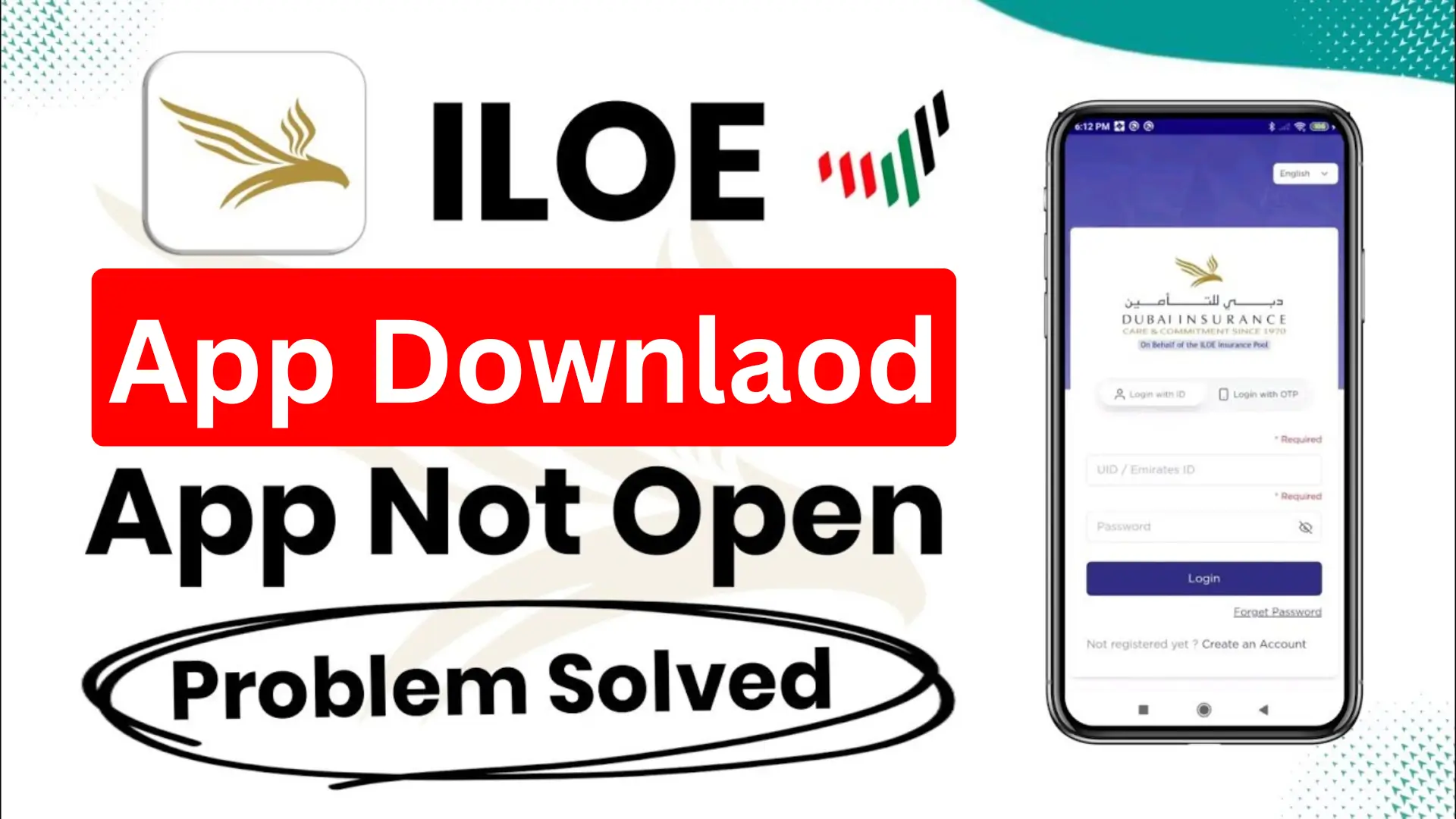
The ILOE App is a smart and convenient digital platform launched by the UAE Ministry of Human Resources and Emiratisation (MOHRE) to help employees easily manage their Unemployment Insurance Scheme.
Through this app, users can register for ILOE, pay monthly or yearly contributions, check policy details, and track compensation claims, all in one place. Designed for both federal and private sector workers, the ILOE App ensures that financial protection and job security are always just a few taps away.
ILOE App Download Latest Version
Downloading the ILOE App is quick and simple. Just follow these steps:
- Step 1: Open the Play Store (for Android) or App Store (for iPhone).


- Step 2: Type “ILOE” in the search bar and tap Search.
- Step 3: When the app appears, tap Install to begin downloading.
How to Register in the ILOE App?
To register for the Involuntary Loss of Employment (ILOE) scheme, follow these simple steps below using the official portal or mobile app:
- Visit the official ILOE portal at www.iloe.ae or open the ILOE mobile app.
- Select the “Individual” option on the home screen.
- Choose your employment sector (private or federal/government).
- Sign in using your Emirates ID number and registered mobile number.
- Enter the One-Time Password (OTP) sent to your mobile phone.
- Verify and confirm your personal details displayed on the screen.
- Select your policy duration and payment frequency (monthly, quarterly, or yearly).
- Pay the required insurance premium using the available payment methods.
- Once payment is successful, your ILOE registration will be completed, and you’ll receive confirmation via SMS or email.
How to Log In to the ILOE App?
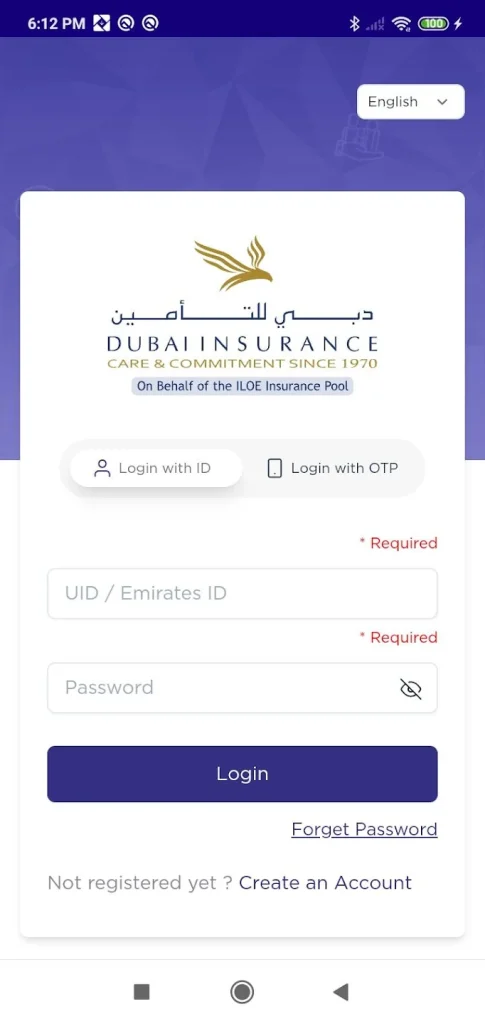
Method 1: Login with ID
- Open the ILOE App or visit the Dubai Insurance ILOE portal.
- Select “Login with ID.”
- Enter your UID / Emirates ID in the first field.
- Type your Password in the second field.
- Click on the “Login” button to access your account.
- If you forgot your password, tap on “Forget Password” to reset it.
Method 2: Login with OTP
- Choose the “Login with OTP” option on the login screen.
- Enter your Emirates ID or registered mobile number.
- You will receive a One-Time Password (OTP) via SMS or email.
- Enter the OTP in the required field.
- Tap “Login” to complete your sign-in securely.
How to Use the ILOE App?
- Open the ILOE app on your mobile device.
- Log in using your Emirates ID number.
- Enter the OTP (One-Time Password) sent to your registered mobile number.
- Once logged in, you can:
- Pay for your insurance directly through the app.
- Check your policy details and coverage information.
- Submit a claim if you are eligible.
- Alternatively, you can perform the same actions using the official ILOE website or the MOHRE app.
Why ILOE App Is Not Working?
The ILOE app may stop working for several reasons, including scheduled maintenance, technical errors, or problems with personal details or internet connectivity. If you’re facing login or access issues, try these quick fixes: Check for official maintenance updates, log in using the “non-registered” option, ensure your internet is stable (avoid VPNs), clear your app cache or browser data, and contact customer support if the issue continues.
Common Reasons Why the ILOE App May Not Work
1. Scheduled Maintenance
The app might be temporarily unavailable due to regular updates or maintenance. For example, a maintenance period took place on July 4, 2025, from 6 PM to 11 PM (UAE time). During such windows, the system is offline for improvements.
2. Technical Glitches
Some users experience app bugs like payment processing errors, delayed OTP (One-Time Password) delivery, or failed transactions. These are usually temporary and get resolved after updates.
3. Personal Information Errors
Issues can occur if your personal data doesn’t match MOHRE (Ministry of Human Resources and Emiratisation) records, for instance, after visa renewal or job changes. Double-check that your Emirates ID, UID, and employment details are accurate.
4. Internet Connectivity Problems
Weak internet or using a VPN can cause disruptions since the ILOE system works only within the UAE network. Turn off your VPN and use a stable local connection.
5. Incorrect Login Credentials
If your employment is under a free zone visa, you may need to log in using your passport number to find your Unique ID (UID) instead of your Emirates ID. Entering the wrong ID type or number often leads to login failures.
Key Actions You Can Take in the App
- Pay for your insurance: Click “Quick Pay” or “Subscribe,” select your plan, and complete the payment.
- Check your policy details: Your policy details, including benefits and limitations, can be found on your dashboard or in the “View Policy Details” section.
- Submit a claim: Visit the “Submit a claim” or “Claim Submission” section. Before choosing a payout method (bank transfer or cash pickup), you may need to confirm your personal information and contract termination details.
- Check for fines: Check for late renewal fines through the MOHRE portal by visiting the ILOE Quick Pay website.
Benefits of ILOE App
The ILOE app makes it easy for UAE employees to manage their unemployment insurance. It helps users register, pay, and claim benefits quickly without visiting any office.
- Easy Registration: Sign up for the unemployment insurance scheme in minutes.
- Online Payments: Pay your premiums safely using a debit or credit card.
- Quick Claims: Apply for benefits easily if you lose your job.
- Claim Tracking: Check your claim status anytime.
- 24/7 Access: Use the app anytime, anywhere in the UAE.
- Secure System: Your data and payments are protected.
- Multiple Languages: Available in English and Arabic.
- Instant Alerts: Get updates about payments, renewals, and claims.
- Customer Support: Contact help directly through the app.
Conclusion
The ILOE App offers a fast, secure, and paperless way for UAE employees to manage their unemployment insurance. From registration to claim tracking, it ensures convenience, transparency, and financial protection, making job security just a few taps away.